

InnoBooks handles packaging in two places: a
defaultpackaging applied once per order, set underSettings › Packaging, and aper-servingpackaging specific to each dish, in the item’sRecipetab. Both use the same editor and the same order types — Counter, Dine-in, Delivery, Platform — and both staynot included in the food cost %.
What you’ll need
- The restaurant add-on active on your company.
- Permission to edit recipes (items.recipe.update) — both the
Settings › Packagingpage and theRecipetab depend on it. - Your packaging items already created as items in
Items & Services(bags, containers, utensils…), ideally with aLast buying priceso their cost shows up.
Steps
- Open Settings › Packaging
Go to
Settings, then open thePackagingcard (subtitleDefault packaging per order type). The page states its purpose:Applied once per order, by order type (e.g. 1 bag per takeout order).These lines are added once per order, no matter how many dishes it contains.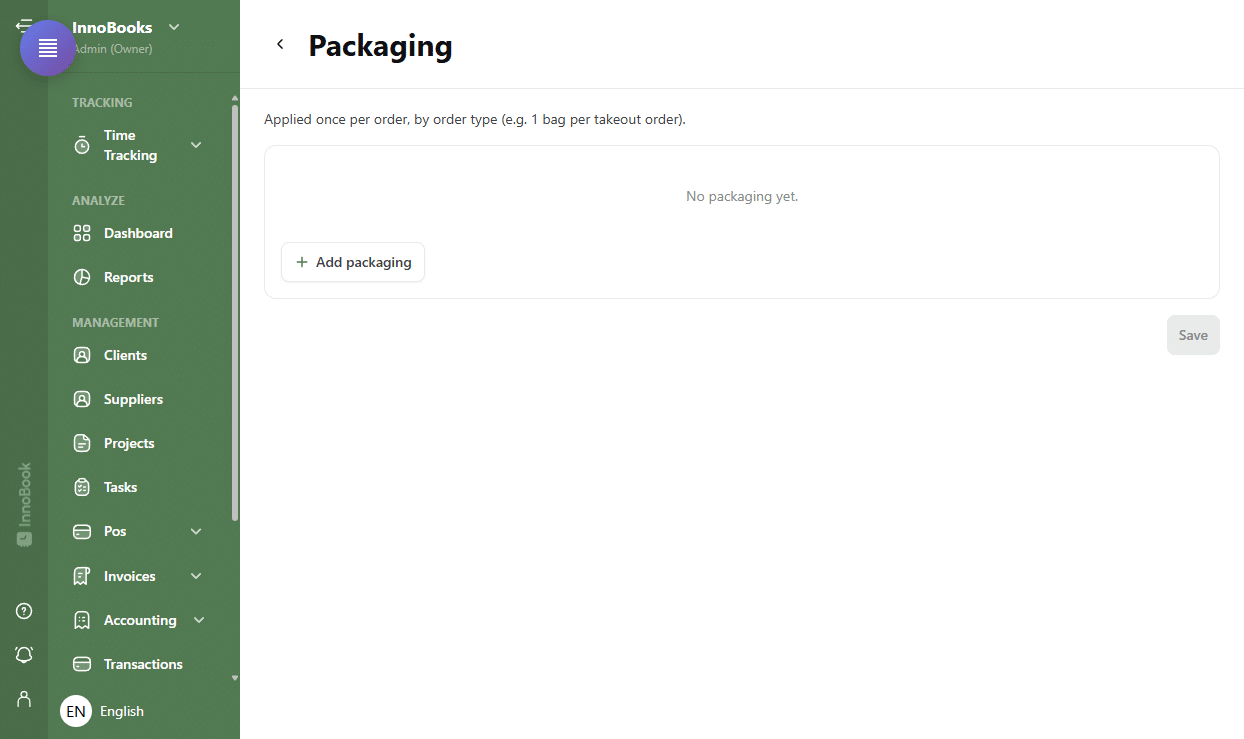
The settings “Packaging” page with its description and the line editor, still empty. - Add a packaging item and its quantity
Click
Add packaging. In thePackaging itemcolumn, search for and select an item. TheUnitandUnit costfill in automatically from the chosen item. Enter theQuantity(decimals are allowed, e.g. 0.5). Add aNoteif needed, and repeat for each packaging item. - Tick the order types
In the
Applies tocolumn, turn on one or more chips:Counter,Dine-in,Delivery,Platform. The same item can apply to several types at once. Each line needs at least one type ticked, otherwise InnoBooks showsSelect at least one service type.and blocks the save. - Save the defaults
Click
Save. The button stays disabled until you have a valid change to save. On success, InnoBooks confirms withPackaging saved. Empty rows (with no item) are simply ignored on save. - Add a dish’s own packaging
For packaging tied to a specific dish, open the item in
Items & Services, go to theRecipetab, then scroll to thePackagingsection (markedNot included in the food cost %). You get the same editor — item, quantity, unit, unit cost, order types — but this packaging is countedper servingof the dish. It is saved together with the item, via the dialog’s save button. - Read the packaging cost per serving
Below the dish’s packaging lines, a
Packaging cost / serving(Estimated) panel shows one amount per order type:Counter,Dine-in,DeliveryandPlatform. Each amount sums only the lines ticked for that type — handy to see how much packaging adds by sales channel.

Tips & edge cases
- The
Unit costcan’t be edited in the editor: it comes from the packaging item’sLast buying price. To fix a cost, update the item’s buying price, not the packaging line. - If a packaging item has no known cost (no buying price), an amber banner appears:
Some ingredients have no known cost; the total is incomplete.and theUnit costcolumn stays blank (—). Add a buying price to the item to complete the calculation. - Two levels, two logics:
Settingsdefine packaging per order (e.g. 1 bag per takeout order), while a dish’sRecipetab defines packaging per serving. - Packaging never enters the
food cost %: it is costed separately so it doesn’t skew your food cost.
Frequently asked questions
What’s the difference between Settings packaging and a dish’s packaging?
Settings › Packaging defines a default packaging applied once per order, by order type (e.g. 1 bag per takeout order). A dish’s Recipe tab adds packaging counted per serving of that dish. Both use the same order types.
Why doesn’t a packaging item’s cost show up?
Because the packaging item has no Last buying price. Its Unit cost column then shows “—” and an amber banner flags that the total is incomplete. Open the item and give it a buying price.
Is packaging included in my food cost?
No. Packaging is explicitly Not included in the food cost %. It is shown separately, by order type, so your food cost percentage reflects only the ingredients.