

The tablet till that talks to your books
Android tablet · iPad
InnoBooks POS turns an Android tablet or an iPad into a full till: card, cash or Interac payments, MEV-WEB compliant receipts, label and receipt printing. Every sale lands in InnoBooks like an invoice, with nothing to retype.
Free to download. Requires an InnoBooks account — create one for free.
Take payment in a few taps
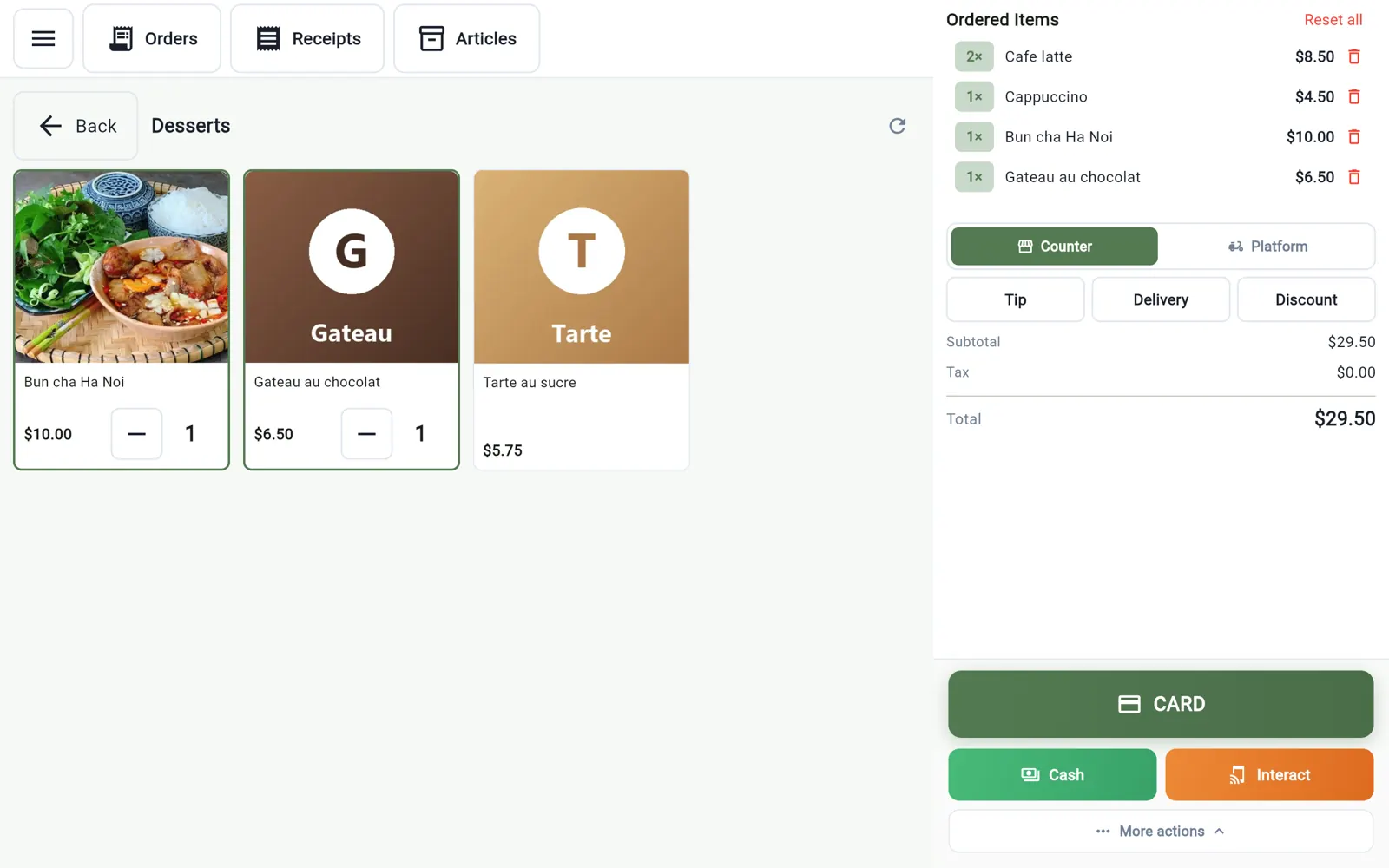
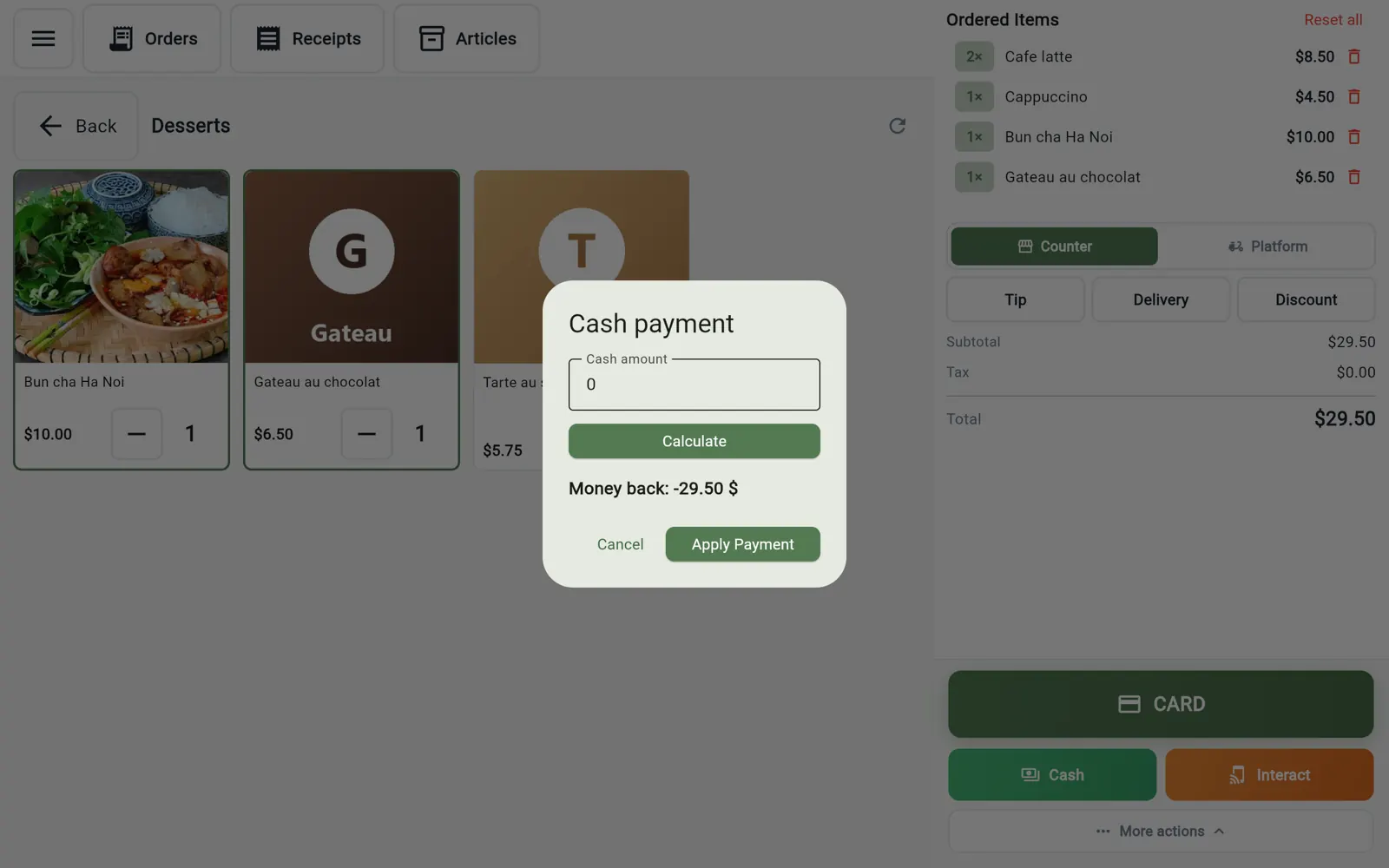
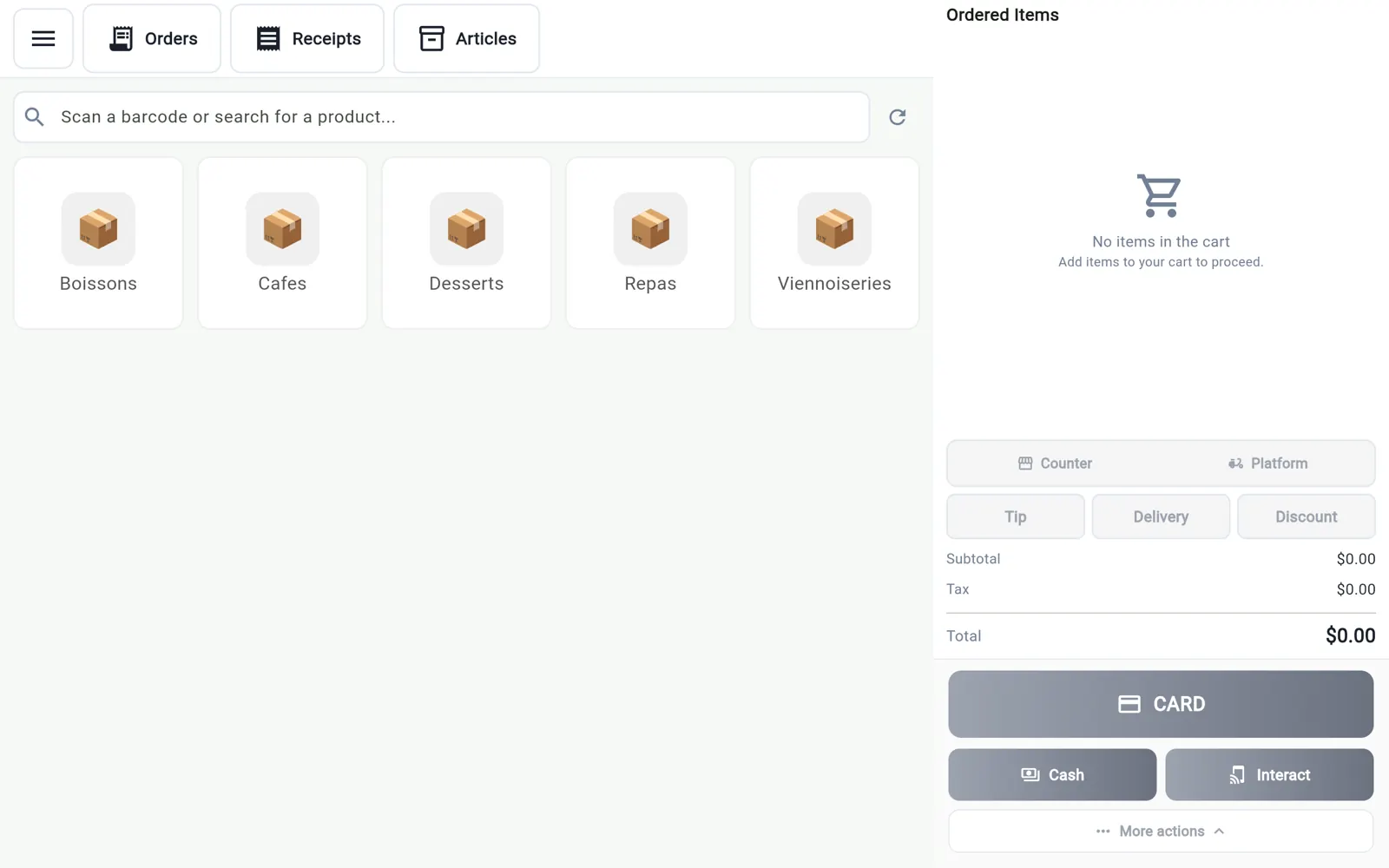
Categories and product grid, search or barcode scanner, then payment. The Stripe card reader shows the cart to the customer while they pay; cash computes the change; Interac and tips with the server's name are handled.
- Stripe card reader with customer display
- Cash with change calculation, Interac
- Tips per server
- USB or Bluetooth barcode scanner
MEV-WEB compliant, even offline
Every receipt carries the signature and QR code Revenu Québec requires. Without a connection the till keeps selling and transmits pending receipts as soon as the network is back. Duplicates and cancellations carry a reason, as the law requires.
- Signed receipts with QR code
- Offline mode with a pending-receipt counter
- Compliant duplicates and cancellations
- User report for Revenu Québec
Receipts, refunds and credit notes
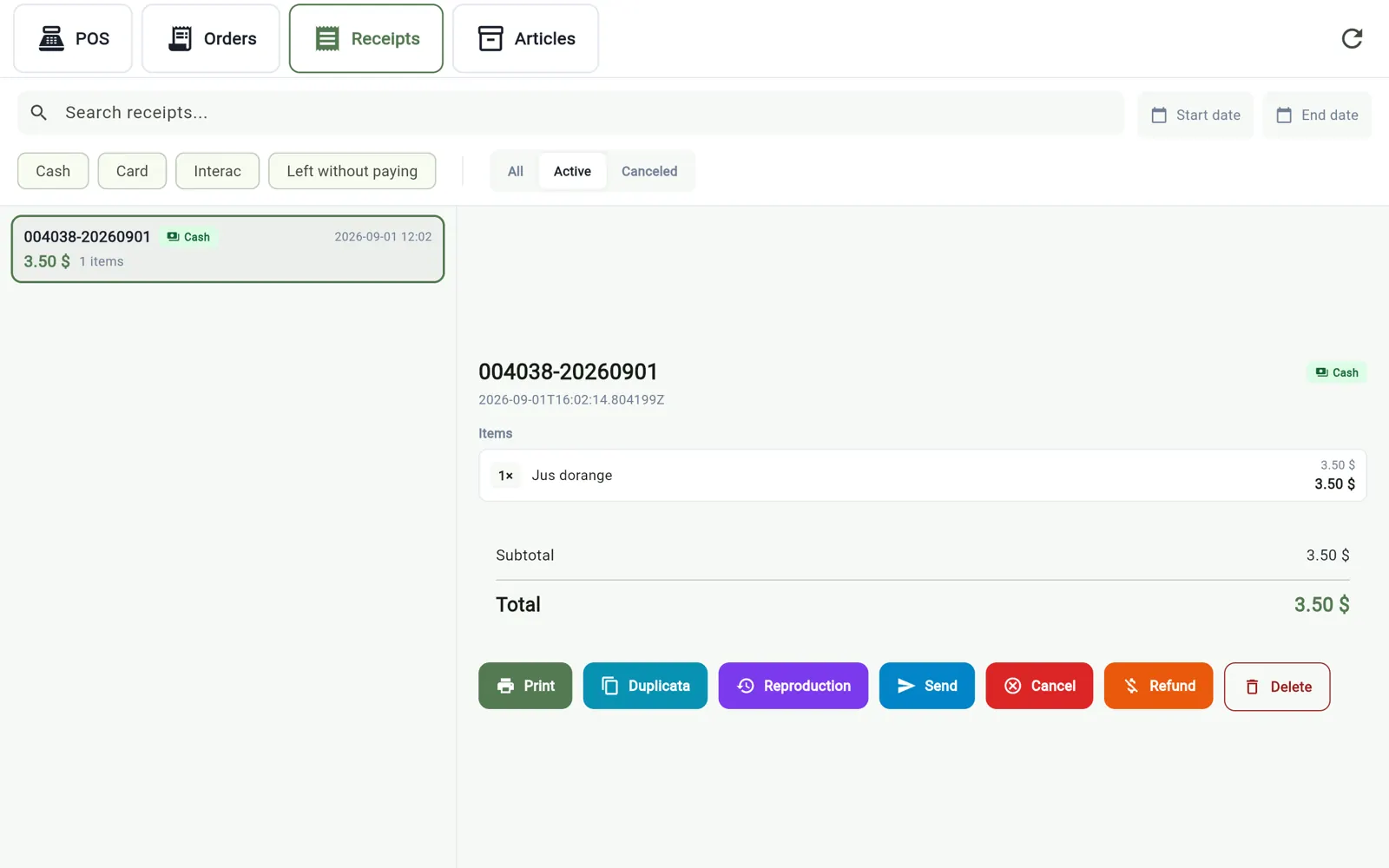
The thermal printer is discovered automatically on the network. The receipt can also go by email or text. A refund is made by amount or by item, with a credit note.
- Receipt printer found automatically
- Sent by email or SMS
- Refund by item or by amount
- Credit notes
Labels and product sheets from the tablet
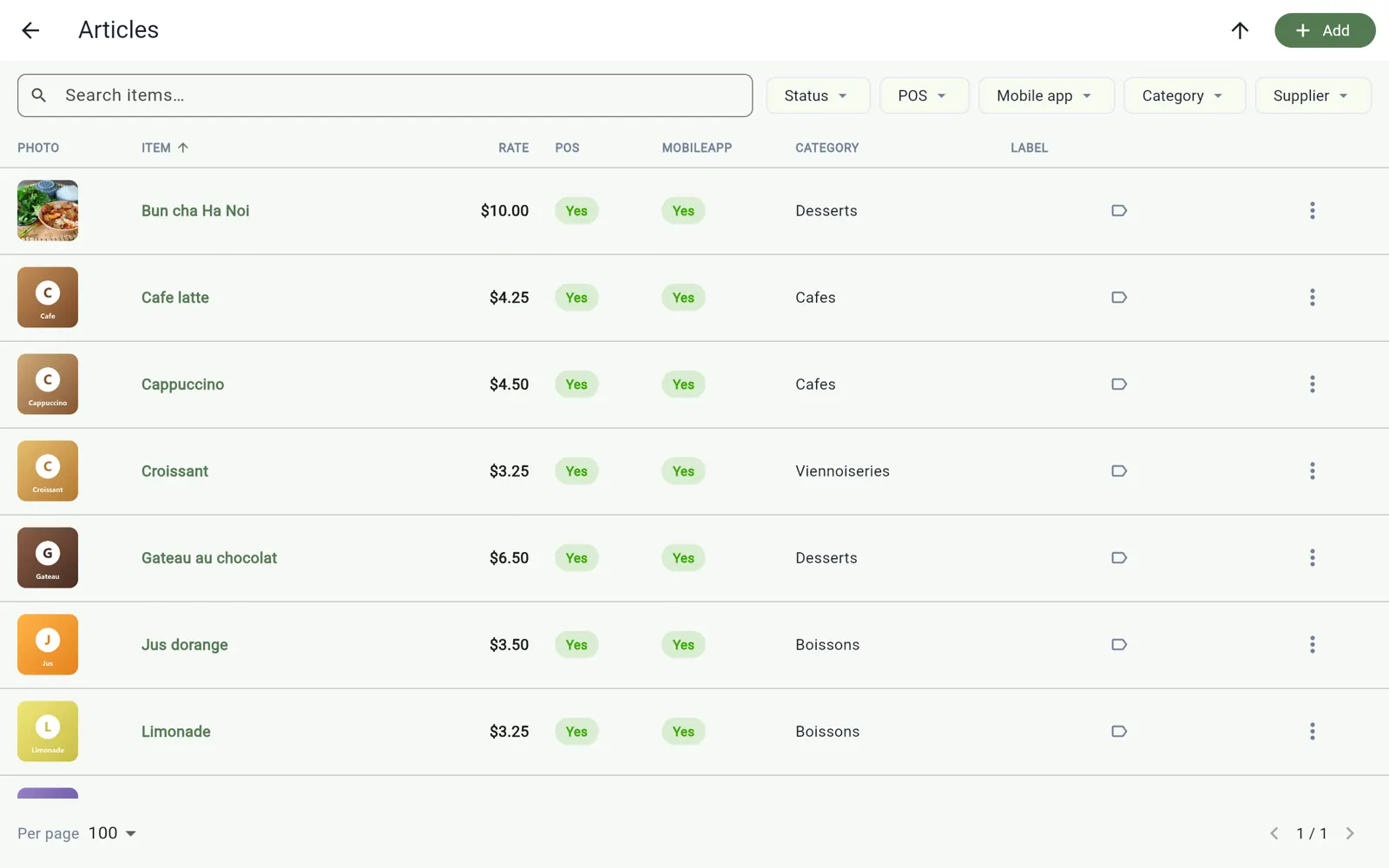
Print your product labels (ingredients, allergens, weight, best-before date, barcode) on a Brother QL printer, and edit a product sheet without going back to the computer.
- Brother QL-810W labels, 62 mm continuous roll
- « Contains » and « May contain » allergen statements
- Photos and bilingual texts
- Waste and loss entry
Your staff at the till
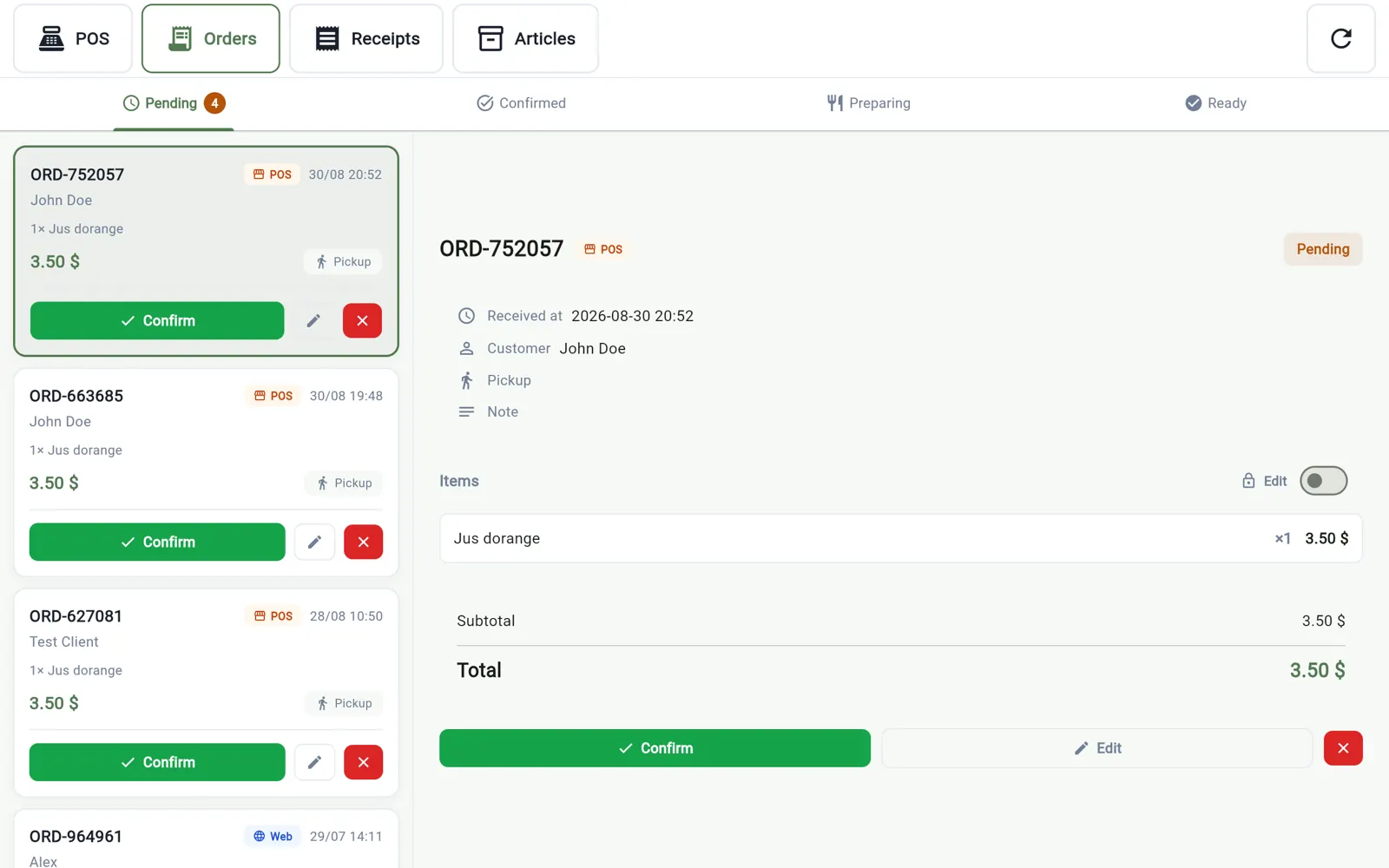
Each employee signs in with a PIN; their name follows each sale, all the way to the MEV-WEB transmission. The biometric lock protects the tablet without losing the current cart. Online and app orders land on the order board and are pushed to the till in one move.
- PIN per employee, name on each sale
- Biometric lock
- Real-time order board
- Internal notes with reminders
What you need to start
An InnoBooks account with the Point of Sale add-on, an Android tablet or an iPad and, for card payments, a Stripe Terminal reader. The till needs no connected cash drawer and no scale.
- Point of Sale add-on: $29 a month, recipes included
- Optional Stripe Terminal reader
- Set up in minutes, guide in the help centre
See also
- Mobile admin app — Your orders, opening hours and deliveries from your phone.
Download the app
Android tablet · iPad
Free to download. Requires an InnoBooks account — create one for free.
One click away from getting started
Everything in one financial tool, designed in Québec for small businesses, freelancers and teams.
Create my free accountFree forever. No credit card required.