

By connecting your Twilio account to InnoBooks, you enable SMS sending and track their cost. You enter your Twilio credentials (Account SID and Auth Token), InnoBooks automatically discovers all your subaccounts and their costs, and you can then rebill those costs to a client on an invoice. Here’s how.
What you’ll need
- A Twilio account (dashboard at console.twilio.com).
- Your Twilio
Account SIDandAuth Token. - Permission to access the Twilio settings.
Steps
- Open the Twilio page
From the menu, open
Settings, then theTwilio — Costs by accountpage. TheTwilio Configurationcard prompts you to enter your credentials.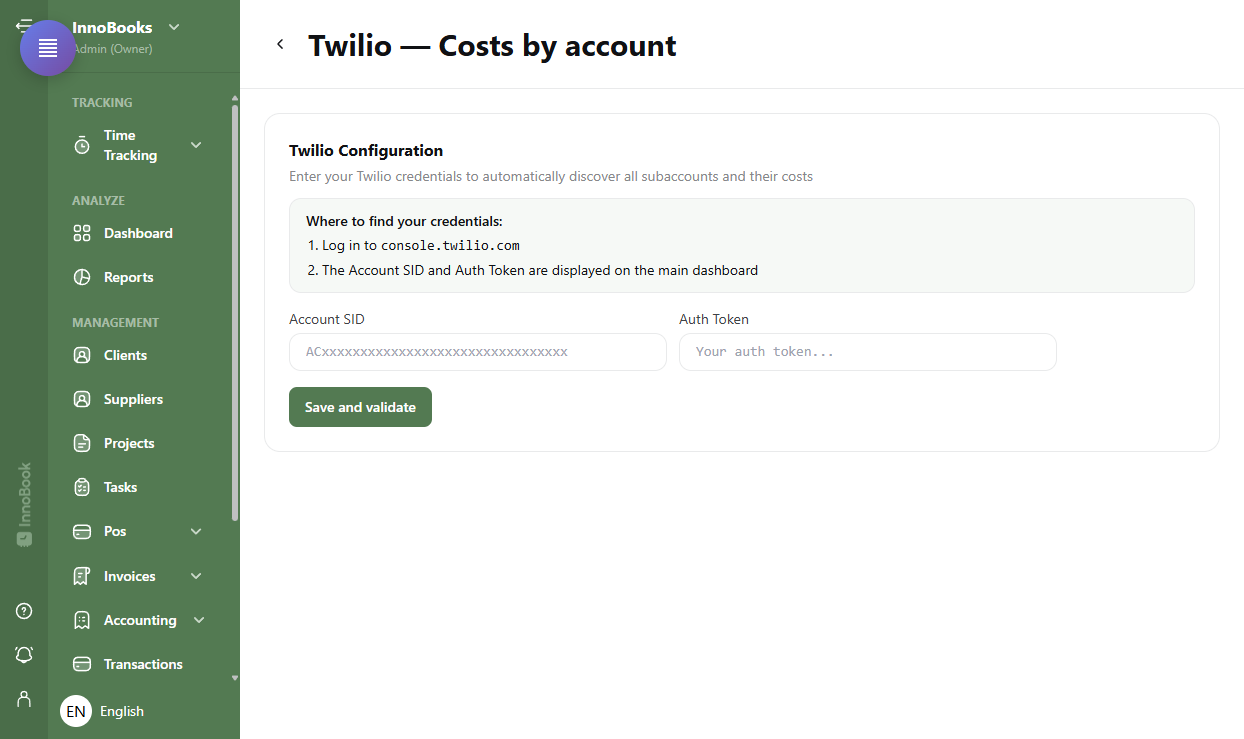
The Twilio — Costs by account page with the Twilio Configuration card. - Find your Twilio credentials
The
Where to find your credentials:reminder shows the steps: log in toconsole.twilio.com; theAccount SIDandAuth Tokenare displayed on the main dashboard. - Enter and validate the credentials
Paste your
Account SID(format ACxxxx…) and yourAuth Token, then clickSave and validate. Once validated, the status changes toConnectedand shows your maskedAccount SID. - Review the costs by subaccount
Choose the period with
FromandTo(month and year), then clickRefresh. TheGlobal totalshows at the top. Each subaccount is listed (the main account carries aMainbadge); expand a row to see the breakdown byCategory,Description,QuantityandCost. The USD/CAD toggle converts the amounts (Bank of Canada rate). - Rebill the costs to a client (Optional)
Tick the subaccounts to rebill, then click
Invoice. ChooseNew invoiceto create a draft invoice, orAdd to existing invoice. You can add aManagement fee(fixed amount or percentage). The Twilio costs become line items on the invoice. - Edit or delete the configuration (Optional)
Once connected, use
Modifyto change your credentials orDeleteto remove the configuration. Deleting keeps the subaccount data and cost history, but you’ll need to re-enter your credentials to view usage again.

Tips & edge cases
- InnoBooks automatically discovers all subaccounts tied to your credentials: nothing to add manually.
- Twilio amounts are in USD; turn on the
CADtoggle to convert them at the Bank of Canada rate. - The
Management feefield lets you add your margin (amount or percentage) when invoicing. - Taxes (GST 5% and QST 9.975%) then apply on the invoice itself, line by line, like any InnoBooks invoice.
Frequently asked questions
Where do I find my Account SID and Auth Token?
Log in to console.twilio.com. The Account SID and Auth Token are displayed on Twilio’s main dashboard. Paste them into the Twilio Configuration card, then click Save and validate.
Are the costs shown in Canadian dollars?
By default, amounts are in USD. Turn on the CAD toggle on the right to convert them to Canadian dollars, at the Bank of Canada rate.
How do I rebill Twilio costs to a client?
Tick the relevant subaccounts, click Invoice, then New invoice or Add to existing invoice. Add a Management fee if needed. InnoBooks creates a draft invoice with the costs as line items.
What happens if I delete the configuration?
The subaccount data and cost history are kept, but you’ll need to enter your Twilio credentials again to view usage.