

To print receipts and invoices from InnoBooks, you just need to tell the app where to find your thermal printer: its IP address on the network and its paper roll width. Two fields, one save, and you’re ready. Here’s how.
What you’ll need
- The POS add-on enabled on your business.
- A thermal receipt printer connected to the same network as your device, with a known IP address.
- A 58 mm or 80 mm paper roll.
- Permission to access printer settings.
Steps
- Open the printer configuration page
In
Settings, open thePrinter Configurationpage. The configuration form appears. Use the back arrow at the top left to return to settings at any time.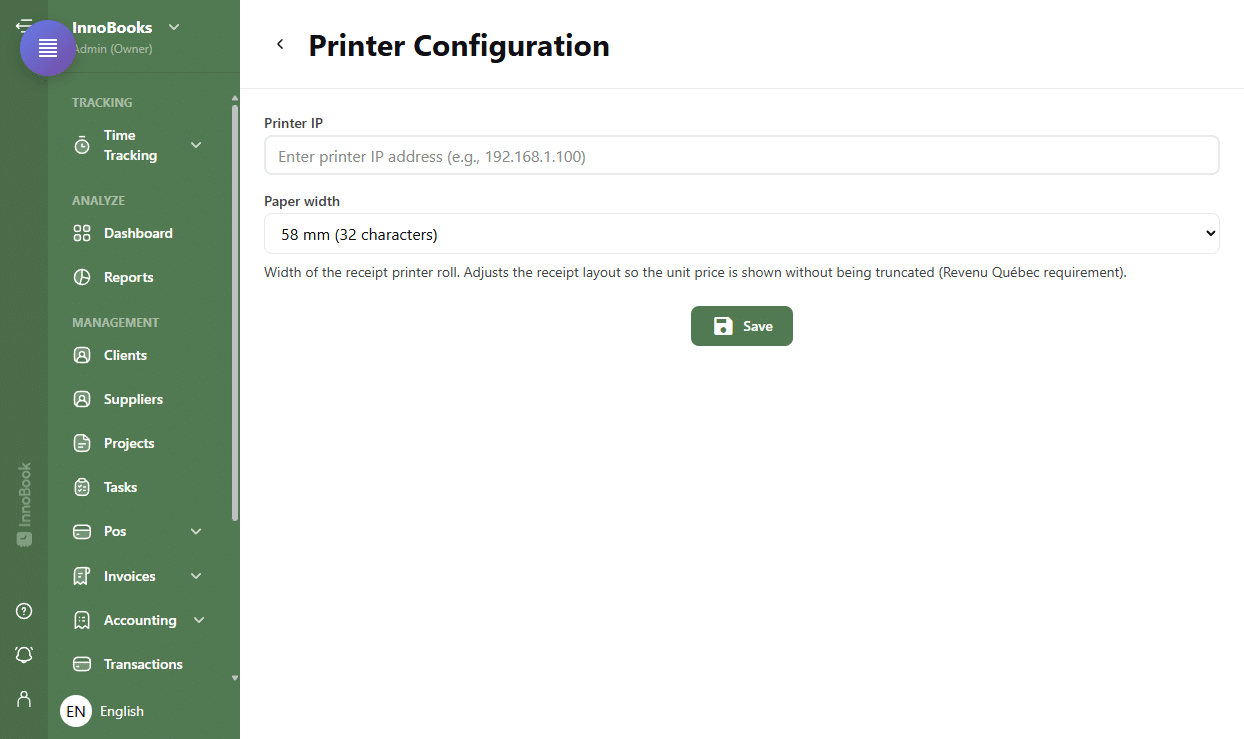
The Printer Configuration page with the IP address field and the paper width menu. - Enter the printer IP address
In the
Printer IPfield, type your printer’s network address, for example192.168.1.100. You’ll find it on the printer’s network settings page or its self-test printout. It must be a valid IPv4 address, otherwise the messagePlease enter a valid IP addressappears. - Choose the paper width
In the
Paper widthmenu, pick58 mm (32 characters)or80 mm (48 characters)to match your roll. As the note under the field explains, this width adjusts the receipt layout so the unit price is shown without being truncated — a Revenu Québec requirement. - Save the configuration
Click
Save. InnoBooks confirms that the printer configuration was updated. Your receipts will now print to this printer from the POS and from theReceiptspage.

Tips & edge cases
- 58 mm prints 32 characters per line; 80 mm prints 48. Pick the one that matches your roll exactly, or text may be cut off.
- Give your printer a fixed IP address (in your router or the printer itself). If the address changes, printing fails until you update it here.
- This configuration is used both by the POS app and by the print actions on the
Receiptspage (receipt, merchant copy, reproduction). - If a receipt won’t print, first check that the printer is on, on the network, and that the IP address entered here is still correct.
Frequently asked questions
Which IP address do I enter?
Your printer’s address on the local network (for example 192.168.1.100). Get it from the printer’s network settings page or by printing its self-test sheet. It must be a valid IPv4 address, otherwise InnoBooks shows Please enter a valid IP address.
Which paper width should I choose?
Select 58 mm (32 characters) or 80 mm (48 characters) to match your roll width. This setting adjusts the layout so the unit price is shown in full, as required by Revenu Québec.
Where is this configuration used?
Anywhere InnoBooks prints a receipt: from the POS at the time of the transaction, and from the Receipts page when you reprint a receipt, a merchant copy or a reproduction.