

Installing a POS system, no technician needed
The InnoBooks till installs on a tablet or phone you may already own. You download the app, set up your items and taxes, then connect a receipt printer and a card reader if you need them — everything is set from the app and the web portal.
Install your POS system in 5 steps
No server to install and no software to configure on a computer: the till is an app, and your data lives in your InnoBooks account. Installation comes down to five steps you can do yourself.
- 1. Turn on the Point of sale add-on in your InnoBooks account
- 2. Install the InnoBooks POS app on the tablet or phone
- 3. Set up your items, categories and taxes
- 4. Connect the receipt printer and card reader, if you have them
- 5. Ring up a test sale, then open the till
The hardware: what you need, and what is optional
The only required device is the one running the till: an iPhone, iPad or Android tablet or phone, on Wi-Fi or the Internet. Everything else is added depending on how you sell.
The till needs no connected cash drawer and no scale: do not buy them for it.
- Required: an iPhone, iPad or Android tablet or phone
- Card payments: Stripe Reader S700, connected to the Internet
- Printed receipts: ESC/POS-compatible Wi-Fi thermal printer
- Product labels: Brother QL-810W printer, 62 mm continuous roll
- Barcodes: a USB or Bluetooth scanner that acts as a keyboard
Install the app and sign in
The InnoBooks POS app is downloaded from the App Store or Google Play. You sign in with your InnoBooks email and password, then a 6-digit code sent by email — or with Google, Apple or your fingerprint.
Tick « Trust this device » and the tablet won't ask for the code again for 30 days. Several devices can use the same account: each keeps its own printer and language settings.
- App Store (iPhone, iPad) and Google Play (Android)
- 6-digit verification code by email
- Sign in with Google, Apple or fingerprint
- Several businesses? You choose when signing in

Set up your items, categories and taxes
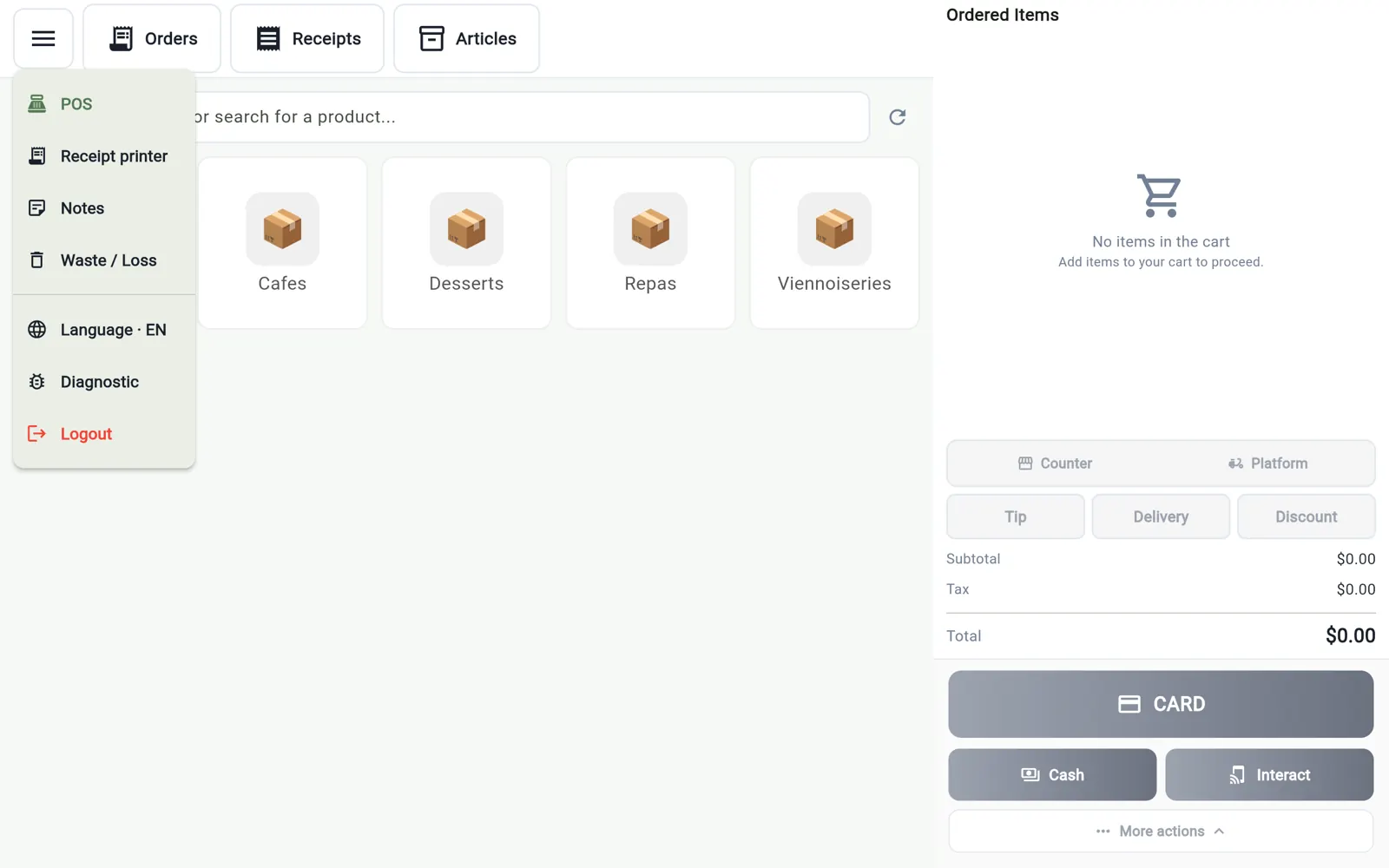
Every product sold at the till has a price, a category and the « Show in POS » option. Categories become the tiles the cashier taps to find a product. You create your items in the app or in the web portal; taxes — GST 5 % and QST 9.975 % — are set up in the portal, then ticked item by item.
- Items created in the app or in the web portal
- Categories = the till's tiles
- GST and QST set up once, in the portal
- The same catalogue feeds invoicing and the online store

Connect the receipt printer and the card reader
In the till's menu, « Receipt printer » scans your Wi-Fi and lists the thermal printers it finds; if yours doesn't show up, enter its IP address and port. The choice is saved on the device.
The Stripe Reader S700 is registered once in the portal with its registration code, then connects by itself when the till opens. The first time, allow location access: Stripe requires it to pair the reader.
- Printer detected automatically on Wi-Fi
- Manual IP entry (port 9100 by default)
- Card reader connected automatically every time the till opens
- No printer? The receipt goes out by email or text
In Québec: MEV-WEB compliant from day one
If your business is covered by Revenu Québec's MEV-WEB, the InnoBooks till sends every receipt from the very first sale, with no MEV box to wire in. The MEV-WEB setup and the digital certificate are handled in the portal, during installation.
InnoBooks is MEV-WEB compliant; its certification with Revenu Québec is in progress.
Pricing and getting started
The InnoBooks POS app is a free download. The till, receipts and MEV-WEB are part of the Point of sale add-on, which is added to your InnoBooks plan.
- Free app on the App Store and Google Play
- Point of sale add-on added to your plan
- No proprietary hardware imposed
See also
- MEV-WEB (Revenu Québec) — MEV-WEB compliant till: every receipt sent to Revenu Québec, even after an Internet outage.
- GST/QST summary — Tax collected, paid and net for the period you file, in PDF or CSV.
- Receipts — Receipts, refunds and duplicates by the book.
📱 Our apps
The same data on the tablet, the phone and the web
One click away from getting started
Everything in one financial tool, designed in Québec for small businesses, freelancers and teams.
Create my free accountFree forever. No credit card required.