

The InnoBooks sales tax summary shows, for the chosen period, your
Taxes Collectedon sales, yourTaxes Paidon purchases (input tax credits) and yourNet Taxes, with one line per tax (GST, QST). These figures form the basis of your GST/QST return to Revenu Québec.
What you’ll need
- Your sales taxes configured in InnoBooks (GST 5%, QST 9.975%).
- Your sales (invoices and POS revenue) and expenses recorded with their taxes for the period.
- Your filing period (monthly, quarterly or annual) as assigned by Revenu Québec.
- Access to the Accounting module and its reports.
Steps
- Open the sales tax summary
From the Accounting menu, open the
Sales Tax Summaryreport (“Summary of sales taxes collected and owed to government”).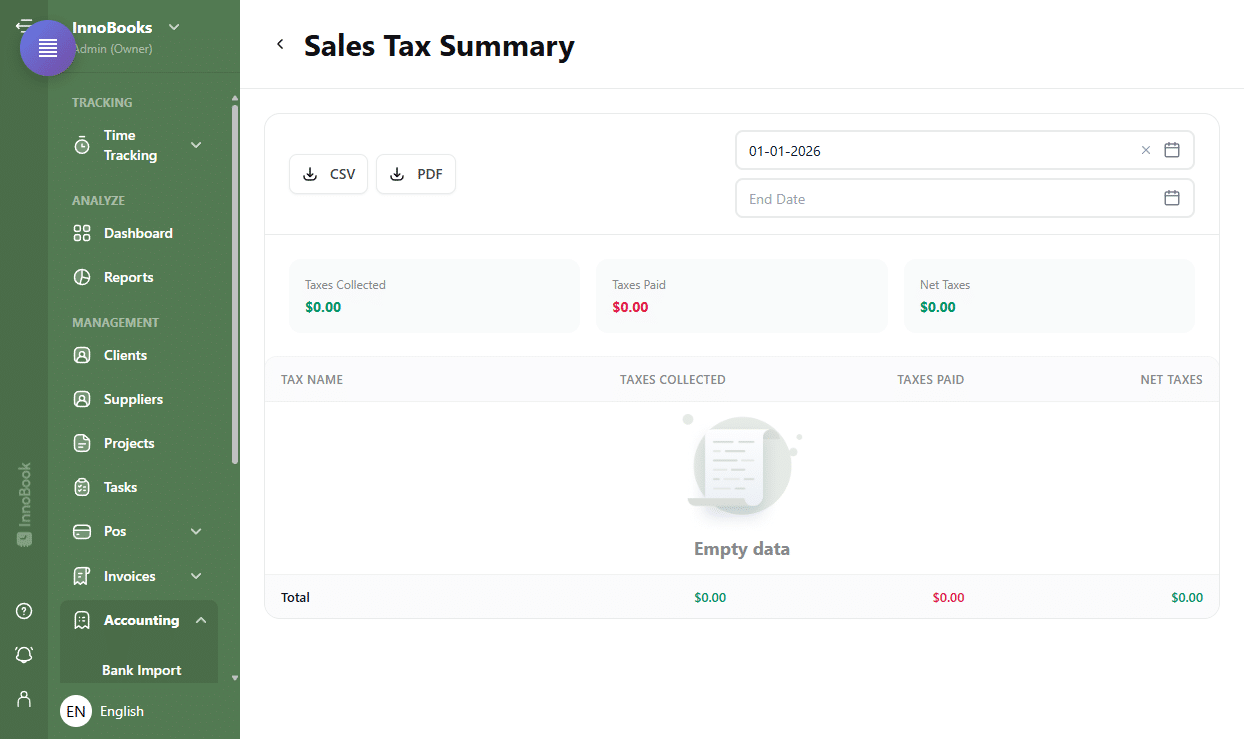
Header of the “Sales Tax Summary” report with the CSV and PDF buttons. - Choose the filing period
Use the two date pickers,
Start DateandEnd Date, at the top right. By default the period starts on January 1 of the current year; adjust it to cover exactly your GST/QST period (for example one quarter). The report recalculates automatically whenever you change a date. - Read the summary cards
Three cards summarize the period:
Taxes Collected(green, the tax billed on your sales),Taxes Paid(red, the tax paid on your purchases) andNet Taxes(collected minus paid). A positive net amount means a balance to remit; a negative amount means a refund to claim. - Review the breakdown by tax
Below the cards, the table shows one line per tax (
Tax Namecolumn, e.g. GST and QST) with theTaxes Collected,Taxes PaidandNet Taxescolumns. TheTotalrow at the bottom sums each column. This breakdown is what separates GST from QST for your return. - Carry the amounts over and export
Carry the GST and QST
Taxes Collectedas tax billed, theTaxes Paidas input tax credits (ITCs for GST, ITRs for QST), and theNet Taxesas the amount to remit, into your return with Revenu Québec. To keep or attach a record, clickCSVorPDF.

Tips & edge cases
- Leave the
End Dateempty to cover the period from the start date up to today. Taxes Collectedincludes tax billed on your invoices and your POS revenue for the period.- Negative
Net Taxesmean your input tax credits exceed the tax collected: you are in a refund position. - In Québec, GST and QST are generally filed together with Revenu Québec; keep the
PDFexport with your supporting documents. - Make sure the selected period matches your filing period exactly to avoid any discrepancy.
Frequently asked questions
How often do I have to file my GST/QST return?
The frequency (monthly, quarterly or annual) depends on your revenue and the period assigned to you. The Québec rates are GST at 5% and QST at 9.975%. Depending on your situation, consult Revenu Québec for your frequency and remittance deadlines.
What do “Taxes Collected” and “Taxes Paid” mean?
Taxes Collected are the taxes you billed on your sales (the amount you must remit). Taxes Paid are the taxes paid on your purchases, usually recoverable as input tax credits (ITCs/ITRs).
Does this report replace my official return?
No. The summary prepares and breaks down your GST/QST amounts for the period, but the official return must be filed and remitted with Revenu Québec according to your situation.
Related articles
To see what the summary does for you day to day, read the GST/QST summary page.